General-purpose FEA · Windows 10+
Describe the problem.
The model builds itself.
General-purpose finite element analysis. Describe your structure, excavation or foundation in plain language — the AI turns it into a model, the OpenSees core solves it, the result is verified automatically, and a calculation report comes out in one click.
Free forever up to 5,000 elements per model · email-only signup · fully usable without AI
- From ¥20/month
- Free tier: all features
- OpenSees core today · modular
- GB / AISC / Eurocode
- 91 constitutive models
- Used at Univ. of Auckland & BJUT
Nonlinearity is not a checkbox. It is the starting point.
Most FEA software starts linear and bolts nonlinearity on later — so the moment you switch it on, convergence trouble, element limitations and missing post-processing arrive together. Kavvo goes the other way.
Four things decide whether a result is usable
Every FEA package can draw a contour plot. The difference is whether you can tell when it is wrong, whether a third party can reproduce it, and whether the parameters have a documented basis.
- 01
The solver is not a black box
The core is OpenSees, an industry-recognised finite element library — not a proprietary black box. The generated input file is fully exportable: on another machine, from the command line, anyone can re-run it and check the numbers.
- 02
It raises a red flag when it is wrong
After every solve, ΣF / ΣM equilibrium residuals plus displacement and stress magnitude checks run automatically. Out-of-tolerance results are flagged red — you are not allowed to carry a wrong result into a calculation report.
- 03
Materials and codes are written down
91 uniaxial and multiaxial constitutive models, each documenting parameter meaning, source of the value and common misuse. Every entry in a design-code pack carries its licence.
- 04
AI is a co-pilot only
Every AI action shows which function it called and with what arguments; it can be undone and taken over. The model runs on your own key or a local model — we never touch your data.
Six capabilities, one continuous workflow
Modelling, solving, post-processing, AI, reporting, multi-code compliance. Each works on its own; connected, they take you from one sentence to a deliverable.
Points, lines, surfaces, extrusion — plus 6 templates
Portal frames, continuous beams, trusses, space frames, grids and arches are all generated parametrically — change a span and it re-computes instead of rebuilding.
OpenSees core, five analysis types
Static, modal, buckling, pushover, time history. We do not write our own solver — we drive OpenSees directly, without making you learn TCL.
Force diagrams, contours, mode shapes, time histories
Result colours follow the Chinese convention: tension red, compression green. You never have to guess which colour is in tension.
A co-pilot, not autopilot
Every step shows which function it called and with what arguments; one-click undo; take over manually at any time. Runs on a local model or your own key.
HTML / DOCX, ten-chapter structure
Both outputs render from the same intermediate structure. The DOCX is editable — no copy-pasting images and retyping tables.
GB / AISC / Eurocode, pluggable
Code packs are data, not hard-coded rules. Adding JIS or AS is just adding another pack.
Technical details, item by item →
Material library: 91 constitutive models, each one documented
Picking a material is easier to get wrong than picking a section: wrong class, wrong value, wrong units. What each parameter means, where the value comes from and what you will see when it is wrong — all in the public handbooks. The handbooks live on this site and update continuously; a new note never waits for a software release.
Material library: parameter tables for the ten most-used materials →Four steps from one sentence to a calculation report
Every step stays in the model: you can look back at it, change it, or take over.
- 01
Describe the problem
State the spans, storey heights, loads and supports in plain language. When information is missing it asks, instead of guessing a value and filling it in.
- 02
Generate the model
Nodes, elements, sections and constraints are generated parametrically. Every item in the model tree is editable; changing a span re-computes, it does not rebuild.
- 03
OpenSees solves it
Static, modal, buckling, pushover, time history. The solve runs in a separate process — if it crashes, the interface and your model survive.
- 04
Verify and export
A report is only allowed once residual and magnitude checks pass. Force diagrams, contour plots and reports export in one click — HTML and DOCX from the same source.
AI
AI works inside the model,
not in a chat box beside it
Most “AI modelling” is a side panel: you describe, it hands you a block of code, and you verify it yourself. Kavvo’s AI calls the modelling core’s meta-tools directly — it changes the model objects themselves, not text for you to copy and paste.
- Inside the model, not beside itNot a chat sidebar that returns code for you to check. The AI calls the modelling core’s meta-tools, so what it changes is the model itself.
- Every step is visibleEach call shows the function name, its arguments and how many objects are affected. Unhappy with one step? Undo that step alone — no need to roll back the whole model.
- The engineer decidesThe AI makes no code-compliance judgements and does not sign for you. When a check is red it can explain why, but only you can clear it by changing the model.
- Set the second storey height to 4.2 m and re-run
- set_story_height(story=2, h=4.2)3 nodes, 9 elements affected
- run_analysis(static)ΣF residual 3.1e-12 ✓ ΣM residual 7.4e-13 ✓
- build_report()Section table in ch.2 and drift ratio in ch.7 updated
- Undo this stepModel returns to its pre-call state; the report rolls back too
The model runs on your own key or a local model. Keys live in the system keychain — never in the project file, never in logs. Manual modelling is fully available without AI at all.
From portal frames to offshore wind, one workflow
Industrial buildings worry about wind uplift; bridges about stability and seismic action; turbine foundations about cyclic loading; excavations about deformation. Same software, completely different concerns — buildings, bridges, offshore wind, geotechnical, underground and seismic scenarios are all on the page.
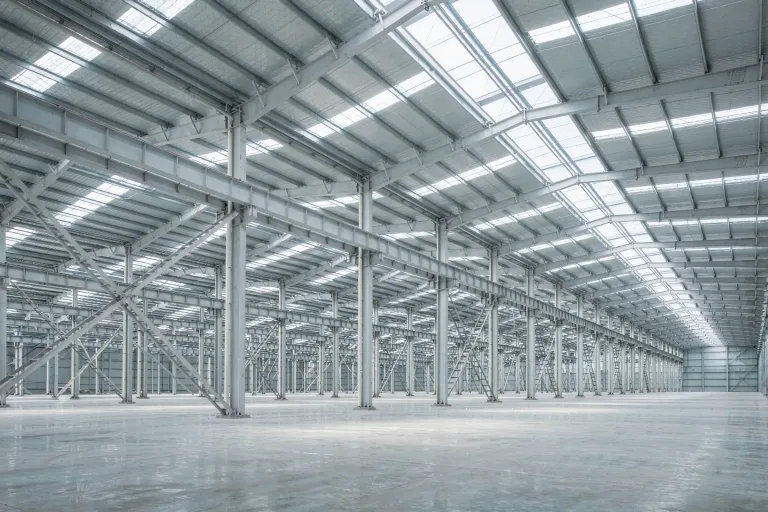 01
Portal frames
Tapered members, light roofs, wind uplift governs
 05
Truss & girder bridges
Global stability and seismic action
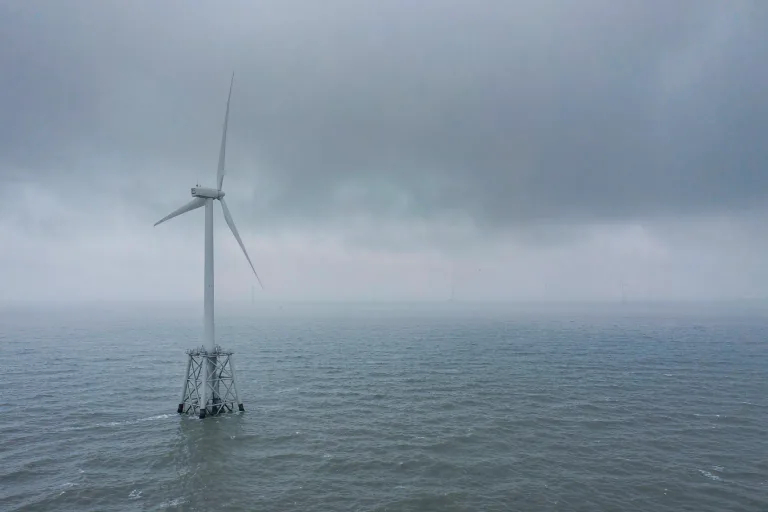 06
Offshore wind foundations
Cyclic loading and scour
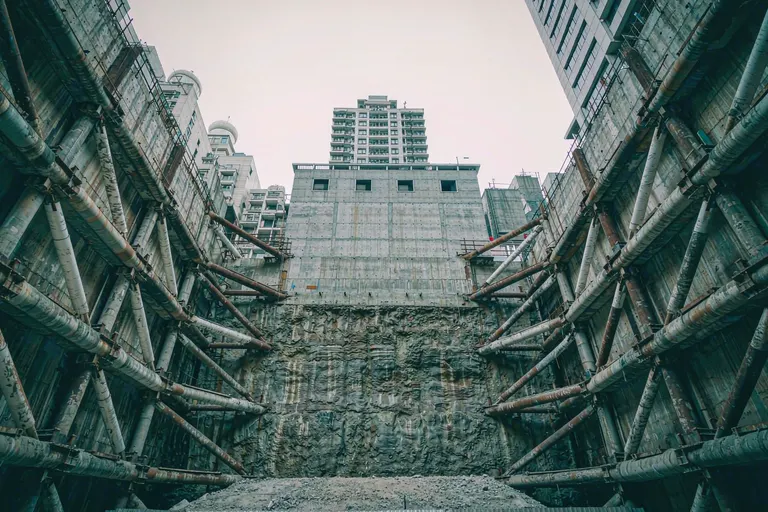 07
Deep excavations
Deformation control, staged construction
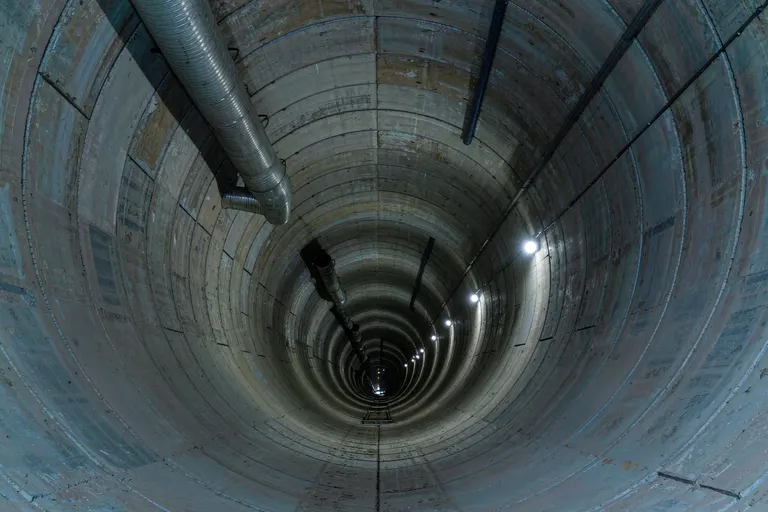 08
Tunnel linings
Soil–structure interaction
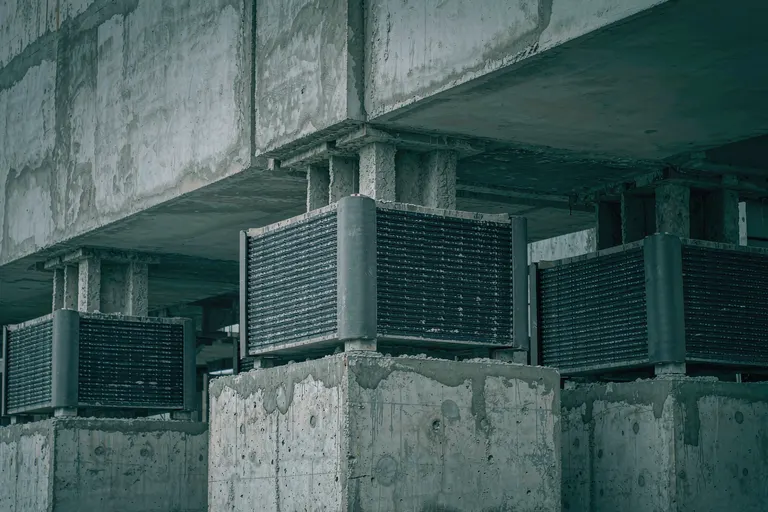 09
Seismic isolation
Period shift and energy dissipation
Measured on the core
Every figure below came out of a real solve on this machine
Not a render, not a stock animation. Same OpenSees 3.7.2 core, same rendering pipeline — once the software ships, this is the level of result you see inside Kavvo.
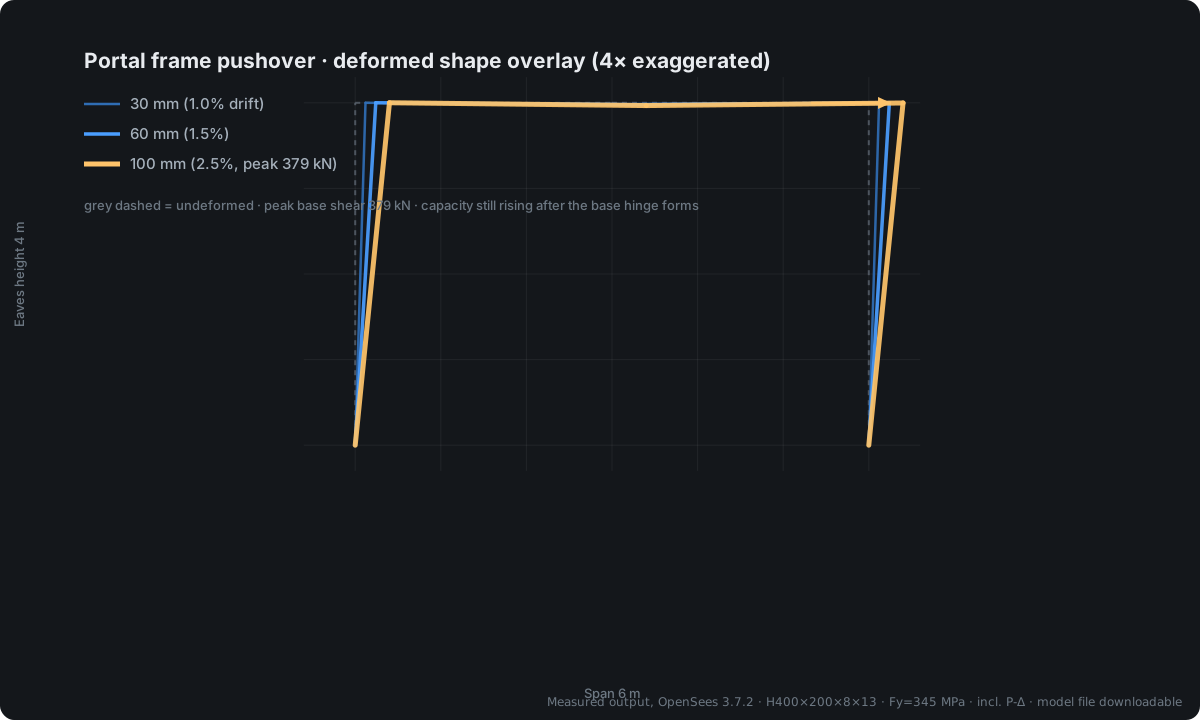
Single-storey portal frame · pushover deformed shape
Displacement-controlled to 2.5% drift over 100 steps, three stages overlaid. Capacity keeps rising after the plastic hinge forms at the column base — the kind of detail only a nonlinear analysis gives you.
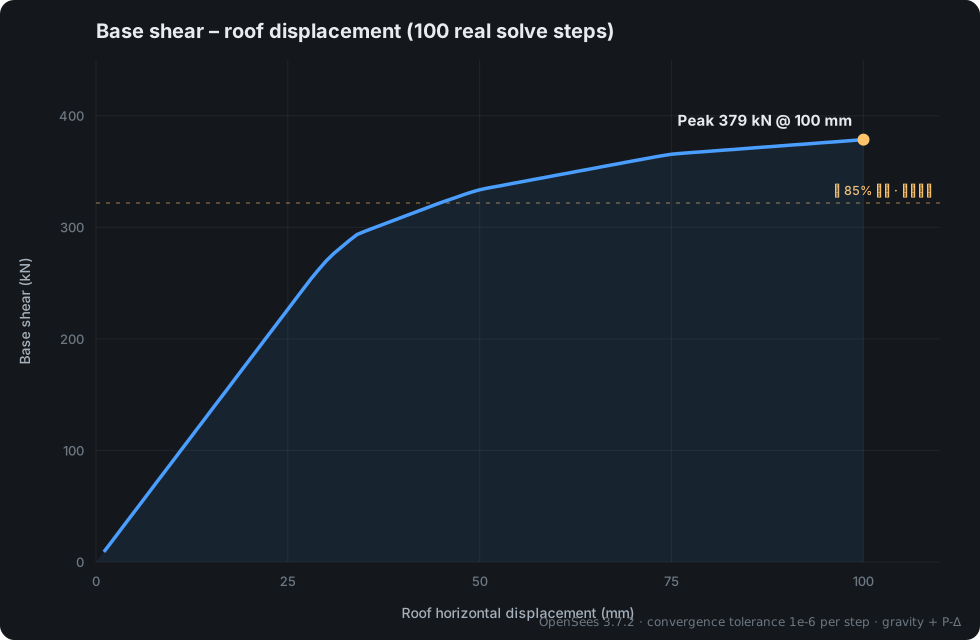
Base shear – roof displacement curve
Drawn point by point from 100 real solve steps: clear yield around 35 mm, peak 379 kN. This is the same curve the verification report generates automatically.
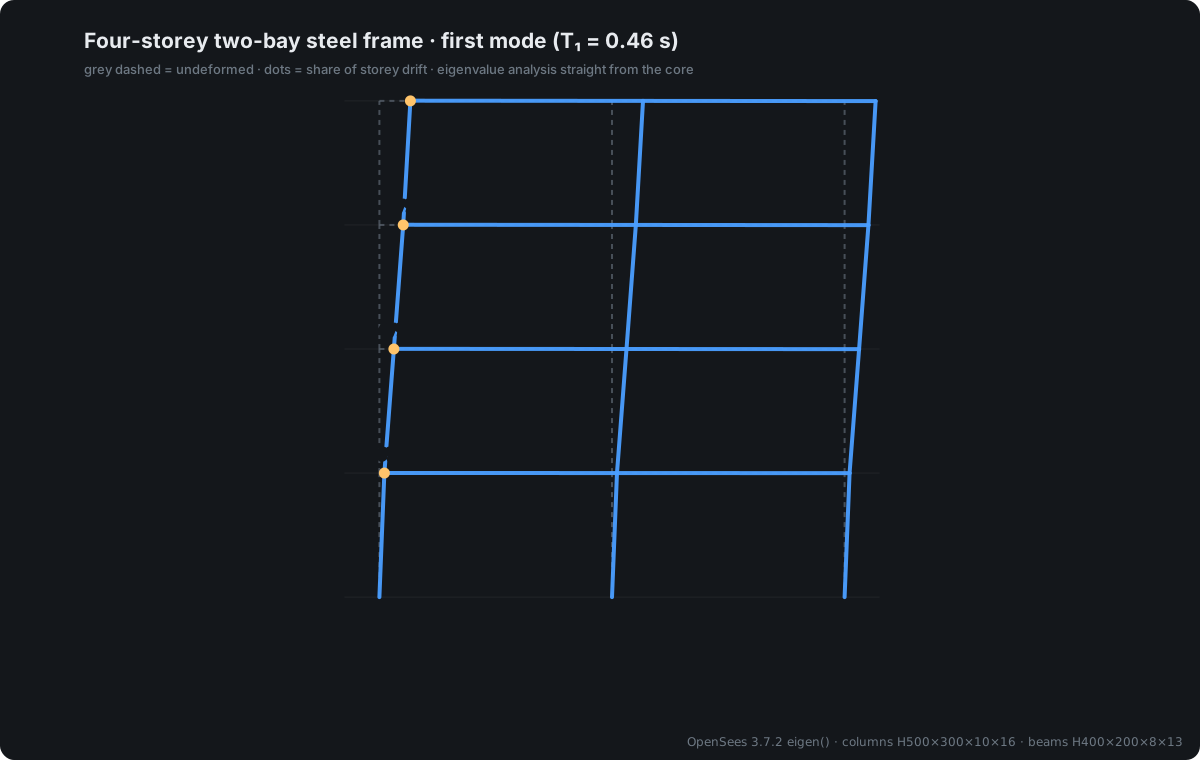
Four-storey two-bay frame · first mode
Eigenvalue analysis taken straight from the core: T₁ = 0.46 s, storey drift shares 16 / 47 / 77 / 100%, a clean first-mode bending-shear shape.
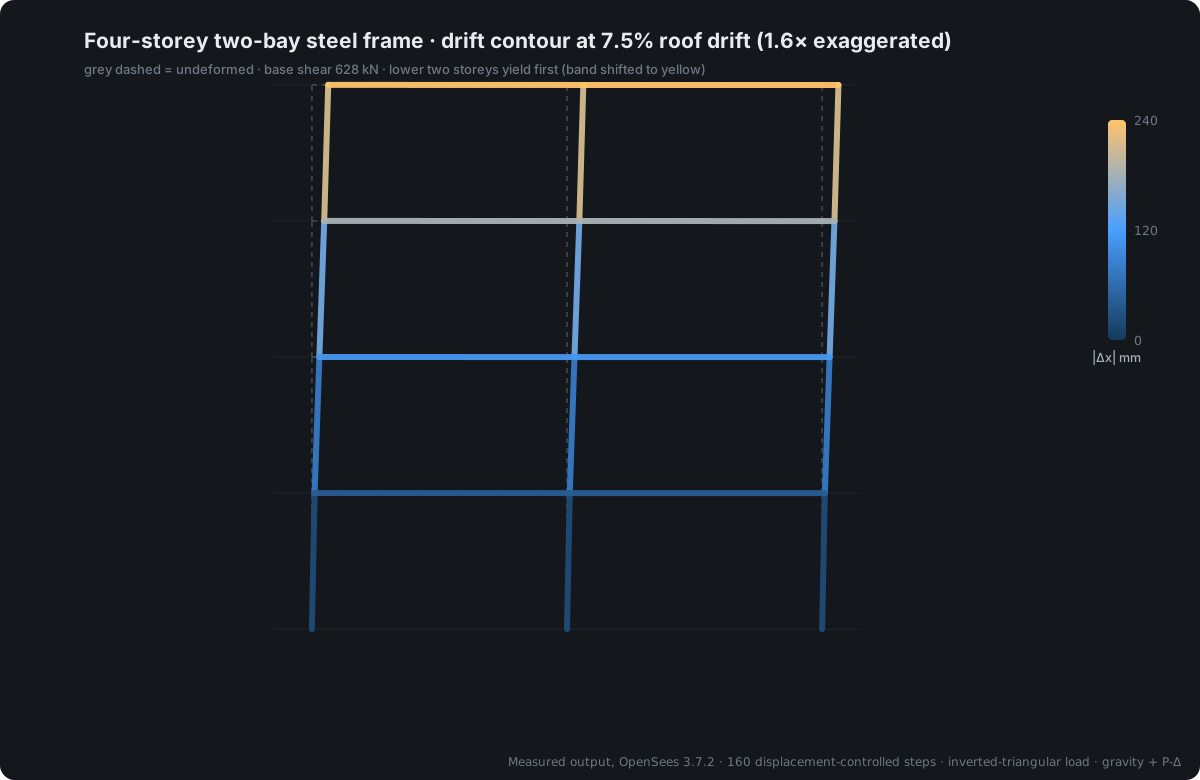
Four-storey two-bay frame · drift contour
Drift contour at 7.5% roof drift, with the lower two storeys yielding first. The colour mapping is the same semantic palette the desktop app uses.
The case models and command-line files ship with the 0.9 public beta, so you can re-run them and check every number yourself.Full verification archive, model files downloadable →
It raises a red flag when it is wrong
Plenty of software can draw a handsome contour plot, but you cannot confirm whether it is right. Kavvo runs equilibrium and magnitude checks after every solve —out-of-tolerance residuals are flagged red, and you are not allowed to take a wrong result into a report.
The generated OpenSees input file is fully exportable. Re-run it from the command line whenever you like — a result that can be independently verified should not depend on trust.
- ΣF equilibrium residualResultant in each direction against applied load; out of tolerance is flagged red
- ΣM equilibrium residualMoment resultant check — catches global load-path errors
- Displacement magnitude checkCompared with structural scale — catches unit-system mistakes
- Stress magnitude checkCompared with material strength — catches sections left unassigned
- Model checker, 6 rulesOrphan nodes / duplicate nodes / zero-length elements / unconstrained DOF / unassigned sections / loads with no target
- Full TCL exportThe generated input file is readable — it can be re-run on another machine
A few measured numbers
No “dramatically faster”. These are measurements you can reproduce; the test conditions sit right under each number.
- 19.8×Result size compression1440 MB → 72.7 MB1440 MB measured dataset · benchmark across 6 storage schemes
- 0.6msExtreme-value querywas 1879 msSame dataset, before and after enabling the index layer
- 0.03%Orchestration overhead1.2 µs of 733 ms17,820 DOF linear analysis · single solve · Windows
We wrote OpenSees’ traps into the product
All six below were reproduced on our own machines against the official OpenSees 3.7.2 — not paraphrased from documentation. Each one has already become a check, a default, or an option that was removed.
eleResponse forcesReturns a global quantity (mapped to getResistingForce), not the element-local forceFor a beam along global X the numbers happen to match; for a skewed beam every internal force is wrong — and looks perfectly normalAlways take localForce; compare the two before export and warn on any mismatchnodeReactionWithout a prior reactions call it always returns [0,0,0], and raises no error at allEvery support reaction reads zero while the equilibrium check still reports a passConstrained nodes must carry a REACT record line; a missing line is a hard failureExit codeThe process still returns 0 when the TCL script errorsJudging success by exit code gives a false pass, with an empty result fileScan for error strings and require the script to print END — both must holdsystem MumpsCrashes with 0xC0000005 on the standard build — the process vanishes instead of throwingThe whole solve process is gone and there is no error message to inspectProbe capabilities in isolated subprocesses; enable MUMPS only under OpenSeesMPDRMLoadPatternHangs when an input file is missing — over twenty seconds with no outputThe interface freezes and the user assumes it is still solvingEvery external call is time-limited; prefer H5DRM, which fails loudlysystem DiagonalRuns and reports no error, but results are systematically off by a factor of 9.1A silent error — the hardest class to catchRemoved from the solver list; not offered to usersThis is not a bug list for OpenSees — it is the boundary any integration has to handle. Software that claims to “wrap OpenSees” cannot dodge these; the difference is whether it tells you.
Already in use for research and teaching
Research groups at the institutions below use Kavvo and its earlier verification prototype in research and teaching. We list only real users, display no crests and claim no official endorsement — whether the software is any good is for classrooms and research groups to decide.
- The University of AucklandNew ZealandResearch verification · postgraduate teaching
- Beijing University of TechnologyChinaStructural research · material parameter calibration
Using Kavvo in research or teaching?Research groups are free — activated automatically through an email-domain allowlist, no payment involved.
Pricing by size, not by feature
The free tier and the membership have exactly the same features; the only difference is the mesh limit on a single model. No “advanced features locked away” — if you can solve it, you can use it.
Free
¥0no expiry
Up to 5,000 elements per model
- Modelling / solving / post-processing, all unlocked
- No limit on report export
- 3 devices
Membership
¥20/month · ¥198 a year
No mesh limit
- Identical features to the free tier
- Not tiered by feature
- Cancel anytime; auto-renew off by default
Services
Per itemfixed prices
4 service types
- Consultation and technical support
- Custom development and team training
- Free for research groups
The Windows build is in final testing
Supports Windows 10 1809 (64-bit) or later. The first installer ships at the end of M1. Until then the button stays disabled — no fake buttons that do nothing.
- Email-only signup, no phone number
- Automatic updates, rollback supported
- AI on your own key or a local model
- Free tier up to 5,000 elements